Accounts Payable Automation Checklist for Growing Teams
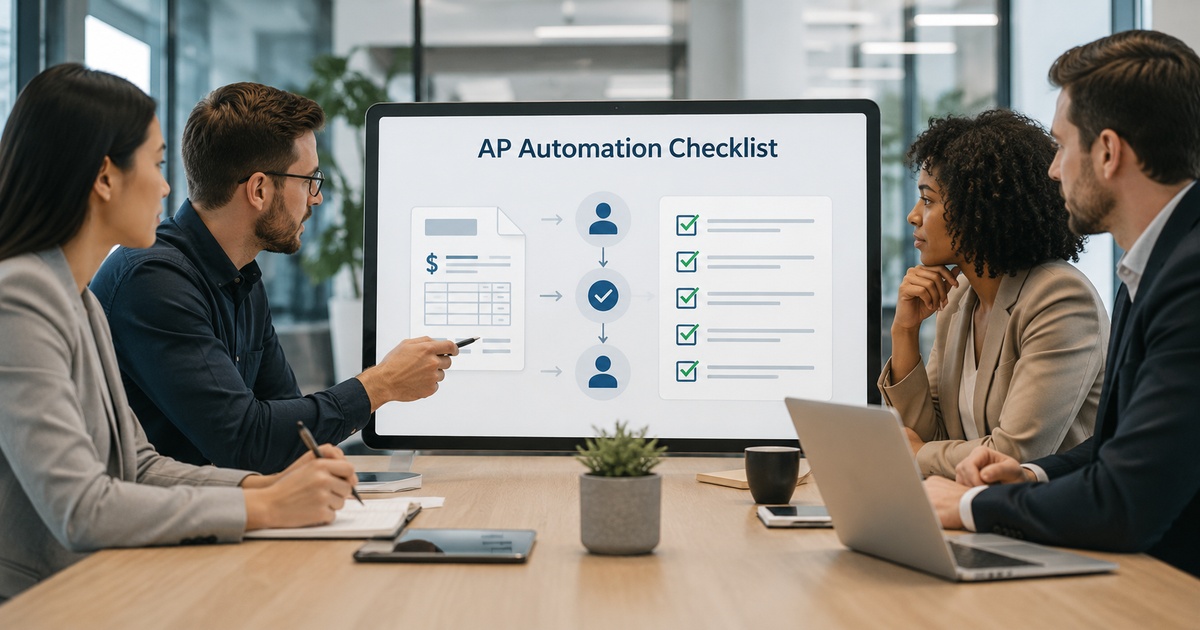
Accounts payable is one of the most rewarding processes to automate and one of the riskiest to automate carelessly, because at the end of it, money leaves the company. Done well, AP automation removes tedious data entry, speeds approvals, and gives you control and visibility over cash going out. Done without the right controls, it can speed up the wrong payments just as efficiently as the right ones. This checklist walks through what a growing team should have in place to automate accounts payable safely, so the efficiency gains never come at the cost of control.
Why AP automation needs care
Most automation failures are inconvenient; AP automation failures can be expensive, because the process ends in payments. Automating capture and approval without preserving strong controls is how a duplicate invoice gets paid twice, a fraudulent invoice slips through, or an error posts to the wrong account at speed. The goal is not to slow AP down, it is to automate the tedious parts while keeping, and ideally strengthening, the controls that protect the company’s money. A growing team feels this acutely: volumes rise, more people get involved, and the informal checks that worked at small scale stop being enough, which is exactly when good automation with built-in controls earns its keep.
The accounts payable automation checklist
Work through these as you design or review your automated AP process.
- Capture and coding: automated data capture with a human review step for exceptions and low-confidence extractions.
- Matching: two- or three-way matching of invoices to purchase orders and receipts where applicable, to catch discrepancies before payment.
- Approval workflows: clear approval routing with thresholds, so larger amounts require appropriate sign-off.
- Segregation of duties: the person who approves is not the person who can change vendor bank details or release payment.
- Duplicate detection: automated checks for duplicate invoices and payments.
- Vendor bank-detail controls: a verified, controlled process for changing payment details, a common fraud vector.
- Audit trail: a complete record of who did what and when, for controls and auditors.
- Exception handling: a clear path for what happens when something does not match or looks wrong.
Controls and exceptions
The heart of safe AP automation is how it handles the things that are not routine. Automation should sail through clean, matched, in-policy invoices and stop the rest for human attention, never quietly push an exception through to keep its automation rate up. Pay special attention to vendor bank-detail changes, a frequent target for fraud, by requiring verification through a trusted channel rather than acting on an emailed request, however legitimate it looks. And keep segregation of duties intact in the automated flow; convenience must never let one person both approve and pay. These controls are the same data-and-access discipline behind a good data permissions checklist, applied to money.
Rolling it out as you grow
Introduce AP automation in stages, proving each piece before relying on it. Start by automating capture and coding with full human review, so you build confidence in extraction accuracy before trusting it. Add matching and approval routing next, then tighten the automated controls. Run the new process alongside the old for a period and reconcile carefully, because this is money and errors must be caught. As your team grows, revisit the controls, more people and higher volumes mean approval thresholds, segregation of duties, and audit trails matter more, not less. Treat AP automation as something to build deliberately under proper financial controls, and lean on a careful invoice automation rollout to get the capture layer right first. The same assisted-automation-with-review mindset applies to other finance AI, including contract review tools.
The fraud risks AP automation must address
Because accounts payable ends in money leaving the company, it is a perennial target for fraud, and automation changes the risk picture rather than removing it. The classic threats do not disappear: duplicate invoices submitted to be paid twice, fictitious invoices from fake vendors, inflated amounts, and the especially common business email compromise, where a fraudster impersonates a supplier and requests a change of bank details so future payments are diverted. Speeding up payments without addressing these simply lets a bad payment go out faster.
Good automation actually helps here when designed for it: automated duplicate detection catches repeat invoices, matching against purchase orders and receipts flags amounts that do not belong, and audit trails make anomalies visible. The critical control is around vendor bank-detail changes, which should never be actioned on an emailed request alone, however convincing, but verified through a known, trusted channel. Keep segregation of duties intact so no single person can both approve and pay, and ensure exceptions stop for human review rather than sailing through. Automation that bakes in these controls is more fraud-resistant than a manual process; automation that strips them for speed is more exposed.
Frequently asked questions
What controls should automated accounts payable have?
At minimum: a human review step for capture exceptions, two- or three-way matching to purchase orders and receipts where applicable, approval routing with thresholds, segregation of duties so approval and payment are separate, duplicate detection, a verified process for changing vendor bank details, and a complete audit trail. These controls let you automate the tedious work while protecting the company’s money, which is the part that makes AP different from lower-stakes automation.
Is it safe to automate accounts payable?
Yes, when you preserve strong controls. AP automation is safe and highly valuable if it keeps approval thresholds, segregation of duties, matching, duplicate detection, and audit trails intact, while a human reviews exceptions. It becomes risky only when speed is prioritised over control, automating payments without these safeguards is how duplicate or fraudulent invoices get paid. The aim is to automate the tedious parts while strengthening, not weakening, the controls that protect cash going out.
How should a growing team start automating AP?
In stages. Begin with automated capture and coding under full human review to build confidence in accuracy, then add matching and approval routing, then tighten automated controls. Run the new process alongside the old for a period and reconcile carefully, since this is money. As the team grows, revisit controls, since higher volumes and more people make approval thresholds, segregation of duties, and audit trails more important, not less. Build it deliberately rather than switching everything at once.
What is the biggest risk in automating accounts payable?
Weakening controls in the pursuit of speed. The most damaging failures come from letting exceptions and low-confidence captures flow straight through to payment, or actioning vendor bank-detail changes without verification, which is how duplicate or fraudulent invoices get paid faster. Keep approval thresholds, segregation of duties, matching, duplicate detection, and audit trails intact, and ensure anything unusual stops for human review. Done with controls, automation is more fraud-resistant than a manual process, not less.

Written by gautam995576@gmail.com
AI automation editor focused on workflow design, tool selection, privacy checks, and operational clarity.
Related automation guides
Contract Review AI Tools: Practical Buyer Guide
A practical buyer’s guide to contract review AI: what it can and cannot do, how to evaluate accuracy and risk, and where…
Invoice Automation Tools Guide for Finance Teams
A finance team’s guide to invoice automation: what these tools actually do, how to evaluate accuracy and fit, and how to roll…

OCR vs Document AI: Which One Fits Your Finance Workflow
OCR or document AI for your finance workflow? How they differ, where each works best, and how to choose based on your…