Security Review Checklist Before Buying an AI Tool
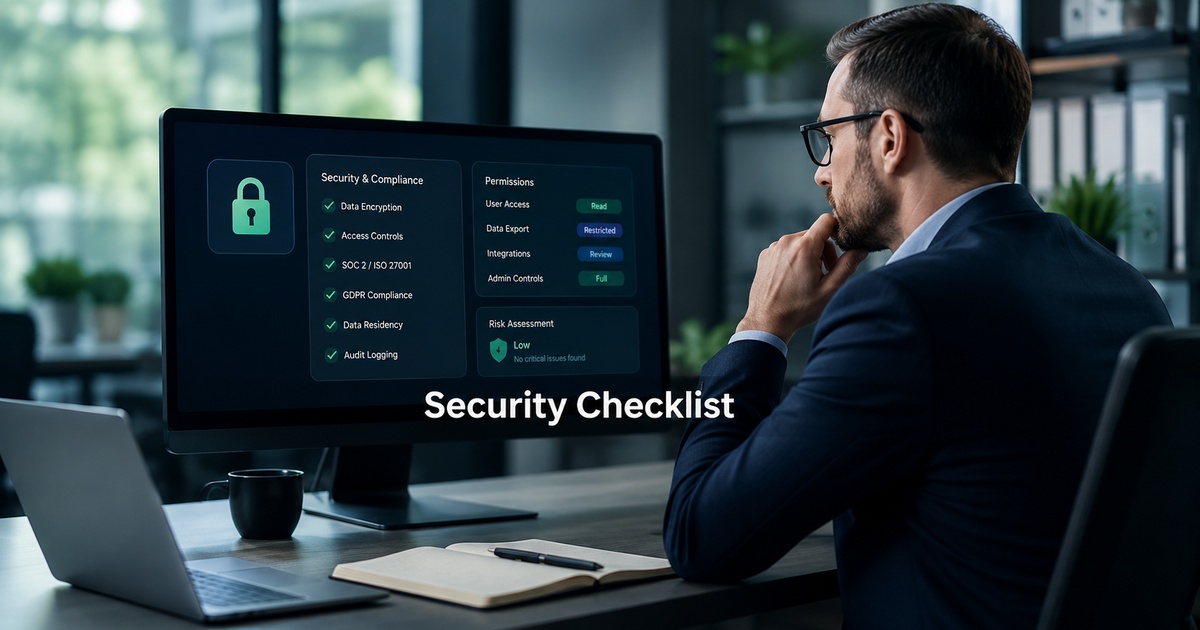
AI tools are unusually easy to adopt, a signup, a connected account, and suddenly a third party is processing your data, and unusually risky if you skip the due diligence, because they often touch sensitive information and act on your systems. A quick security review before you buy is not bureaucracy; it is the difference between a useful tool and a data incident waiting to happen. You do not need to be a security expert to do it well, just to ask the right questions and know what answers should worry you. Here is a practical checklist to run any AI tool through before committing.
Why a security review matters for AI tools
AI tools raise questions ordinary software often does not. Your data may be sent to a model provider, possibly used to train models, and retained in places you have not considered, and AI agents that take actions can do consequential things if compromised or misconfigured. The convenience of signing up in minutes hides the fact that you are extending real trust to a vendor and, often, their sub-processors. A short, structured review surfaces the risks while you can still choose not to proceed, rather than discovering them after sensitive data has already flowed.
The security review checklist
Work through these before you connect any real data, and treat missing or evasive answers as a finding in themselves.
- Data handling: what data does the tool access, where is it processed and stored, and is it encrypted in transit and at rest?
- Training use: is your data used to train the vendor’s or a third party’s models, and can you opt out?
- Retention and deletion: how long is your data kept, and can you have it deleted on request or when you leave?
- Access controls: can you set least-privilege permissions, and who at the vendor can access your data?
- Sub-processors: which third parties (model providers, infrastructure) does the tool rely on, and are they disclosed?
- Compliance and certifications: does the vendor hold relevant certifications or meet the regulations your business is subject to?
- Incident history and response: what is their track record, and how do they handle and notify you of breaches?
Questions to ask the vendor
Most of the checklist becomes a short list of direct questions, and how a vendor answers tells you almost as much as what they say. Ask plainly: Is my data used to train models, and can I opt out? Where is my data stored and for how long? Who are your sub-processors? What certifications do you hold? How do you handle and notify customers of breaches? A trustworthy vendor answers these clearly and points to documentation. Confirm the specifics in writing rather than relying on a salesperson’s reassurance, and align what you find with your own data permissions practices.
Red flags to watch for
Certain responses should give you pause. Be wary of vague or evasive answers about data handling and training, an inability to disclose sub-processors, no clear data deletion or retention policy, no relevant security documentation or certifications, and reluctance to put commitments in writing. A vendor that cannot clearly explain what happens to your data is telling you something important. Equally, for AI agents that take actions, a tool that offers no way to limit permissions or review consequential actions is a risk regardless of its other answers, which is why this review pairs with keeping internal AI builds free of data risk and broader automation governance.
Keeping it proportionate
Match the depth of review to the risk. A tool that only summarises public text needs far less scrutiny than one that reads your customer database and can send emails on your behalf. For low-risk, low-access tools, a quick check of data handling and training use may be enough; for anything touching sensitive data or taking real actions, run the full checklist and get answers in writing. The point is not to block useful tools but to adopt them with eyes open, so the convenience of AI does not quietly become your weakest security link.
Document the decision
A security review is only worth doing if its conclusions survive past the moment of signup, so write down what you found and decided. A short note, what data the tool accesses, the vendor’s answers on training and retention, what permissions you granted, and any conditions, takes minutes and pays off repeatedly. It gives you a record if questions arise later, a baseline to check against when the vendor changes its terms, and a starting point when someone new inherits the tool.
This habit also keeps your growing stack of AI tools manageable. Without it, a year on you have a dozen tools with quietly extensive access and no memory of what you agreed to, which is precisely how data exposure creeps in unnoticed. Treat the review note as part of your wider automation governance: a living inventory of which AI tools touch what, on what terms, and who owns the relationship. The review protects you at purchase; the record protects you for as long as you keep using the tool.
Frequently asked questions
What should I check before buying an AI tool?
Review how it handles your data (access, storage, encryption), whether your data is used to train models and if you can opt out, retention and deletion policies, access controls, disclosed sub-processors, relevant compliance certifications, and incident history. For AI agents that take actions, also confirm you can limit permissions and review consequential actions. Match the depth of review to how much data and access the tool requires.
Is my data used to train AI models when I use an AI tool?
It depends on the vendor, which is exactly why you should ask directly and get the answer in writing. Some tools use customer data to train models by default, some offer an opt-out, and some never do. Do not assume; confirm the policy and whether you can opt out before connecting sensitive data. Vague or evasive answers about training use are a red flag worth taking seriously.
What are the security red flags for an AI tool?
Vague or evasive answers about data handling and training, inability to disclose sub-processors, no clear retention or deletion policy, missing security documentation or certifications, and reluctance to put commitments in writing. For AI agents, no way to limit permissions or review consequential actions is also a serious concern. A vendor that cannot clearly explain what happens to your data is, in itself, telling you something important about how seriously they take security, and that signal is worth heeding long before you connect anything sensitive.

Written by gautam995576@gmail.com
AI automation editor focused on workflow design, tool selection, privacy checks, and operational clarity.
Related automation guides
Human-in-the-Loop Automation: Where AI Agents Need Approval Steps
Where AI agents should pause for human approval and where they can run alone. How to add review steps that catch errors…
AI Assistant Workflow Design for Busy Operators
How busy operators can design AI assistant workflows that actually save time, choosing the right tasks, setting guardrails, and keeping a human…
Lindy, Gumloop, Relay, and Bardeen: AI Agent Builder Buyer Guide
A buyer's guide to AI agent builders like Lindy, Gumloop, Relay, and Bardeen: how they differ, what to evaluate, and which fits…