Lindy, Gumloop, Relay, and Bardeen: AI Agent Builder Buyer Guide

The AI agent builder space is crowded and moving fast, with tools like Lindy, Gumloop, Relay, and Bardeen all promising to let you create AI-powered assistants and workflows without heavy engineering. They overlap enough to be confusing and differ enough that the wrong choice means friction later. Because this category evolves quickly, the most useful thing is not a feature-by-feature snapshot that will be stale in months, but a way to evaluate them and a sense of where each tends to fit. Here is a practical buyer’s guide to choosing an AI agent builder for your team.
What AI agent builders actually do
At their core, these tools let you combine AI reasoning with actions across your apps, so an “agent” can read information, make a decision, and do something, draft a reply, update a record, route a request, with less hand-built logic than traditional automation. They sit between rigid workflow automation and full custom development, aiming to give you flexible, AI-driven automation without code. The differences between them come down to how much they lean toward AI autonomy versus structured workflows, how technical they are to use, and which apps and actions they connect to.
The four, at a glance
These are broad, stable characterisations rather than precise feature claims, always confirm current capabilities and pricing directly, as they change often.
Lindy
Lindy positions itself around AI “assistants” that handle tasks like email, scheduling, and meeting follow-up, leaning toward agent-style autonomy for knowledge work. It tends to appeal to operators who want an assistant-like helper rather than a visual workflow canvas.
Gumloop
Gumloop leans toward a visual, node-based canvas for building AI-powered workflows, appealing to people who want to see and control the steps while still using AI within them. It often suits more involved, multi-step AI processes.
Relay
Relay emphasises workflow automation with AI steps and a strong focus on human-in-the-loop control, suiting teams that want AI assistance but with clear approval points built in rather than full autonomy.
Bardeen
Bardeen has roots in browser-based automation and quick actions, often appealing to sales and individual-productivity use cases where pulling data and triggering actions fast matters. Confirm its current agent capabilities directly, as the product has evolved.
How to evaluate them
Rather than chasing features, weigh the dimensions that actually shape whether a tool works for you.
- Autonomy vs control: do you want an assistant that acts, or a workflow with AI steps and explicit approvals? This is the biggest dividing line.
- Technical level: how comfortable are the people building, and does the tool match that?
- Integrations: does it connect to the specific apps and actions your use case needs?
- Human-in-the-loop: can you insert review and approval where actions are consequential?
- Security and data handling: how does it treat your data, a non-negotiable for agents that touch real systems.
Match the builder to your use case
The right tool follows from what you are trying to do. If you want an assistant to handle personal knowledge-work tasks, an assistant-style tool fits; if you want visible, multi-step AI workflows you control, a canvas-based tool suits; if you need AI help but with firm approval gates, a workflow tool with strong human-in-the-loop design is the safer pick; if your need is fast, sales- or browser-oriented actions, a tool with those roots fits. Before committing, run a real task through a trial, because these tools feel very different in practice, and decide where on the autonomy-versus-approval spectrum you are comfortable.
Risks to weigh before buying
AI agent builders carry risks that traditional automation does not, and they deserve real attention before you buy. Because agents act with some autonomy, a mistake can do something consequential, not just fail quietly, so confirm you can review or approve risky actions. Because they touch your data and systems, run any tool through a proper security review covering data handling, retention, and access. And because the category is young and fast-moving, weigh vendor stability and how easily you could switch. None of this should stop you adopting a useful tool, but agents warrant more scrutiny than a simple connector, precisely because they can do more on their own.
Total cost and lock-in
Price tags rarely tell the whole story with AI agent builders, so look past the headline plan. Usage-based AI costs can climb as you run more tasks, so model your realistic volume rather than the entry tier. Factor in the time to build and maintain agents, which is real even on no-code tools, and the cost of the underlying model usage where that is billed separately.
Lock-in deserves equal thought in a young, fast-moving category. Agents built deeply into one platform can be painful to move if the vendor changes direction, raises prices, or is acquired. You do not need to avoid commitment, but favour tools that let you export your logic or rebuild elsewhere without starting from scratch, keep your most critical workflows understood rather than buried in a black box, and treat any single vendor as replaceable. The goal is to adopt the leverage these tools offer without betting the business on one rapidly evolving product.
Frequently asked questions
What is an AI agent builder?
An AI agent builder is a tool that lets you create AI-powered assistants or workflows that can read information, make decisions, and take actions across your apps, with less hand-built logic than traditional automation and without heavy coding. Tools like Lindy, Gumloop, Relay, and Bardeen sit between rigid workflow automation and full custom development, differing mainly in how much autonomy versus structured control they offer.
How do I choose between Lindy, Gumloop, Relay, and Bardeen?
Decide where you want to sit on the autonomy-versus-control spectrum, then match the tool: assistant-style helpers for personal knowledge work, visual canvases for controlled multi-step AI workflows, workflow tools with strong approval gates where actions are consequential, and browser- or sales-oriented tools for fast actions. Weigh integrations, technical level, and data handling, and trial a real task, since they feel very different in practice. Always confirm current features directly.
Are AI agent builders safe to use with company data?
They can be, but they warrant more scrutiny than simple connectors because they act with autonomy and touch real systems. Before buying, run a proper security review covering data handling, retention, training use, and access, and make sure you can review or approve consequential actions rather than leaving the agent fully autonomous. Treat data handling as non-negotiable, and verify each vendor’s current practices directly rather than assuming, and decide up front, as our guide to agents versus workflow automation explains, whether the task even needs an agent at all.

Written by gautam995576@gmail.com
AI automation editor focused on workflow design, tool selection, privacy checks, and operational clarity.
Related automation guides

Security Review Checklist Before Buying an AI Tool
A practical security review checklist for any AI tool before you buy: data handling, access, retention, compliance, and the questions vendors should…

Human-in-the-Loop Automation: Where AI Agents Need Approval Steps
Where AI agents should pause for human approval and where they can run alone. How to add review steps that catch errors…
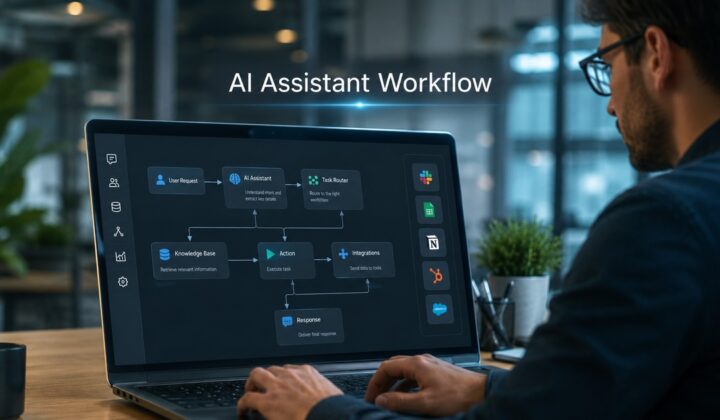
AI Assistant Workflow Design for Busy Operators
How busy operators can design AI assistant workflows that actually save time, choosing the right tasks, setting guardrails, and keeping a human…