CRM Cleanup Automation: Field Hygiene, Dedupe, and Owner Alerts
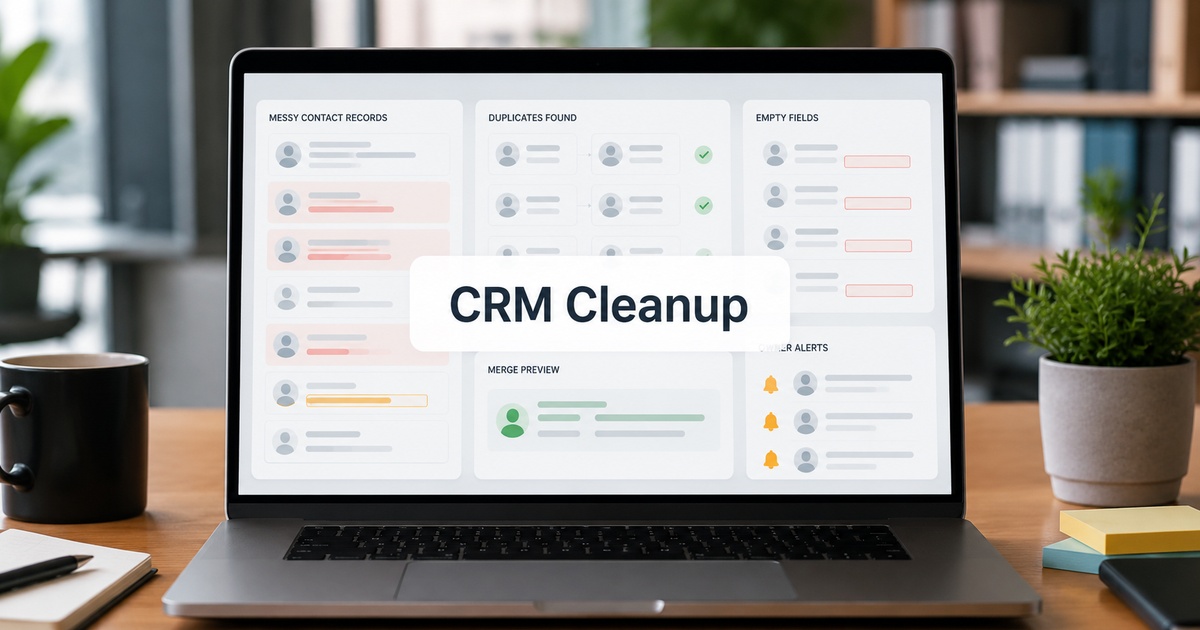
A CRM is only as useful as its data is trustworthy, and CRM data decays relentlessly: duplicates pile up, fields go blank or inconsistent, records drift out of date, and ownership gets murky. Cleaning it by hand is a thankless, never-ending chore that no one wants and everyone postpones, which is exactly why automation belongs here. The goal of CRM cleanup automation is not a one-time scrub but an ongoing system that keeps data clean as it flows in, so the CRM stays a reliable source of truth rather than a swamp people stop trusting. Here is how to set that up around three pillars: field hygiene, deduplication, and owner alerts.
Why CRM data rots
Understanding why CRMs degrade tells you what to automate. Data enters from many sources, manual entry, forms, imports, integrations, each with its own quirks and inconsistencies. People are busy and skip fields, format things differently, or create a new record rather than finding the existing one. Over time this compounds: the same company exists three times, half the records are missing key fields, and a chunk are owned by people who have left. The rot is not a one-off; it is continuous, which is why a single manual cleanup never lasts. Automation works because it addresses the continuous nature of the problem, catching and fixing issues as they arise rather than letting them accumulate.
Field hygiene automation
Field hygiene means keeping the data in each record consistent, complete, and correctly formatted, and much of it can be automated. Standardise formatting automatically, normalising things like country names, phone formats, or capitalisation as records are created or updated, so the same value is not stored five different ways. Flag or fill missing critical fields, alerting an owner when a key field is blank or enriching it automatically where you reliably can. Validate values against expected formats to catch obvious errors at entry. The principle is to enforce hygiene at the point data enters or changes, rather than running periodic mass cleanups that are immediately undone by the next messy import.
Deduplication
Duplicates are the most damaging CRM problem, splitting a customer’s history across records, causing double outreach, and corrupting reporting. Automate both prevention and cure. Prevent duplicates at creation by checking for existing matches before a new record is made, prompting to update the existing one instead. Detect and merge existing duplicates with automated matching that surfaces likely pairs, ideally with a human confirming non-obvious merges, since a wrong merge is hard to undo. Be careful here: automated merging is powerful but risky, so route uncertain matches for review rather than merging blindly. Clean, deduplicated data is also what makes the rest of your sales stack trustworthy, since every downstream tool inherits your CRM’s data quality.
Owner alerts and accountability
Data quality ultimately needs human accountability, and owner alerts are how automation supports it without nagging everyone. Alert the right owner when their record has a problem, a missing key field, a likely duplicate, a stale record that has not been touched in a long time, so cleanup becomes a small, targeted prompt rather than a giant project. Reassign records owned by people who have left, so orphaned data does not rot unattended. Surface data-quality issues to the people responsible for them, framed as quick, specific fixes. The aim is to make keeping data clean a light, continuous, shared habit rather than a periodic crisis, which is the same ownership principle behind good automation governance generally.
Keeping it clean over time
The payoff of doing this as automation rather than a one-off is that the CRM stays clean by default. With hygiene enforced at entry, duplicates prevented and caught, and owners alerted to issues as they arise, the data does not slide back into a mess the moment you look away. Set it up, monitor that the automations are actually firing and not silently broken, and periodically review whether the rules still fit as your data and processes change. A CRM maintained this way remains a source of truth your team trusts and your reporting can rely on, instead of the all-too-common situation where everyone quietly knows the CRM data is unreliable and works around it.
Where to start with CRM cleanup
You do not have to automate all three pillars at once, and trying to usually stalls. Start where the pain is sharpest, which for most teams is duplicates, because they corrupt reporting and cause embarrassing double outreach. Turn on duplicate prevention at creation first, since it is low-risk and immediately stops the problem getting worse, then tackle the existing duplicates with human-reviewed merges.
Once duplicates are under control, add field-hygiene automation for your few most important fields, the ones your reporting and routing actually depend on, rather than trying to perfect every field at once. Layer in owner alerts last, so the humans responsible get small, specific prompts rather than a wall of cleanup tasks. This staged approach delivers visible wins early, builds trust in the automation, and avoids the common failure of a sweeping cleanup project that everyone abandons. Clean the data that matters most first, keep it clean automatically, then expand.
Frequently asked questions
How do I keep my CRM data clean automatically?
Automate around three pillars: field hygiene (standardise formatting, flag or fill missing fields, and validate values as data enters or changes), deduplication (prevent duplicates at creation and detect and merge existing ones, with human review for uncertain matches), and owner alerts (notify the right person about problems with their records and reassign orphaned data). Enforce hygiene at the point data enters rather than relying on periodic mass cleanups that the next messy import immediately undoes.
Is automated CRM deduplication safe?
Largely, if you handle uncertain matches carefully. Preventing duplicates at creation is low-risk and high-value. Automated merging of existing duplicates is powerful but riskier, since a wrong merge is hard to undo, so route non-obvious matches for human confirmation rather than merging blindly. Used this way, deduplication automation reliably cleans your data while avoiding the damage of incorrect merges. The key is to automate detection fully but keep a human check on ambiguous merges.
Why does CRM data get messy in the first place?
Because data enters continuously from many sources, manual entry, forms, imports, integrations, each with its own inconsistencies, and busy people skip fields, format things differently, or create new records instead of finding existing ones. Over time this compounds into duplicates, missing fields, and orphaned records. The rot is continuous, not a one-off, which is why a single manual cleanup never lasts and why ongoing automation that catches issues as they arise is the only durable fix.

Written by gautam995576@gmail.com
AI automation editor focused on workflow design, tool selection, privacy checks, and operational clarity.
Related automation guides

Data Permissions Checklist for Internal Tool Builders
A data permissions checklist for anyone building internal tools: who sees what, least-privilege access, and the safeguards that prevent accidental exposure.

How to Build Internal AI Tools Without Creating Data Risk
How to build internal AI tools without leaking sensitive data: permissions, data boundaries, and the practices that keep an internal build safe.

Retool vs Glide vs Softr vs Airtable Interfaces: Internal Tool Guide
Retool, Glide, Softr, or Airtable Interfaces for internal tools? How they compare on power, ease, and data, so you match the builder…